
Turn any direct marketing campaign into leads that raise their hand.
 For any team running outreach to homeowners
Illustrative example, not client data.
Put a personalized RealTAG report link on your mail, email, or call campaign.
When the recipient opens the report on their own home, with our AVM value, calculated equity, and loan detail from public records the day you upload your list, two things happen at once: they get something genuinely worth their attention, and that lookup identifies them to you as an engaged, ready-to-talk lead.
RealTAG is self-serve. Create an account, upload your file, and start putting personalized reports behind your outreach.
10+ years in production with the largest mail houses in the country
Most outreach tells you nothing. Most inbound calls start with twenty questions. RealTAG fixes both.
Your outreach goes out
Upload a CSV of names and addresses, and every record gets its own secure report link. The same link works on direct mail and email, and its PIN works over the phone.
They look up their own home
The report shows recipients their own home’s value and equity, which is worth a minute of anyone’s time.
Every link carries one name from your list. When it opens, you know who.
The visit shows up in your RealTAG dashboard. You’re calling someone who just looked at their own numbers, and you already know the collateral you’re working with.
Turn your outreach into leads
RealTAG is self-serve. Create an account, upload your file, and start putting personalized reports behind your outreach.
It earns consumer attention, then turns it into a signal.
The caller reads a number you already know.
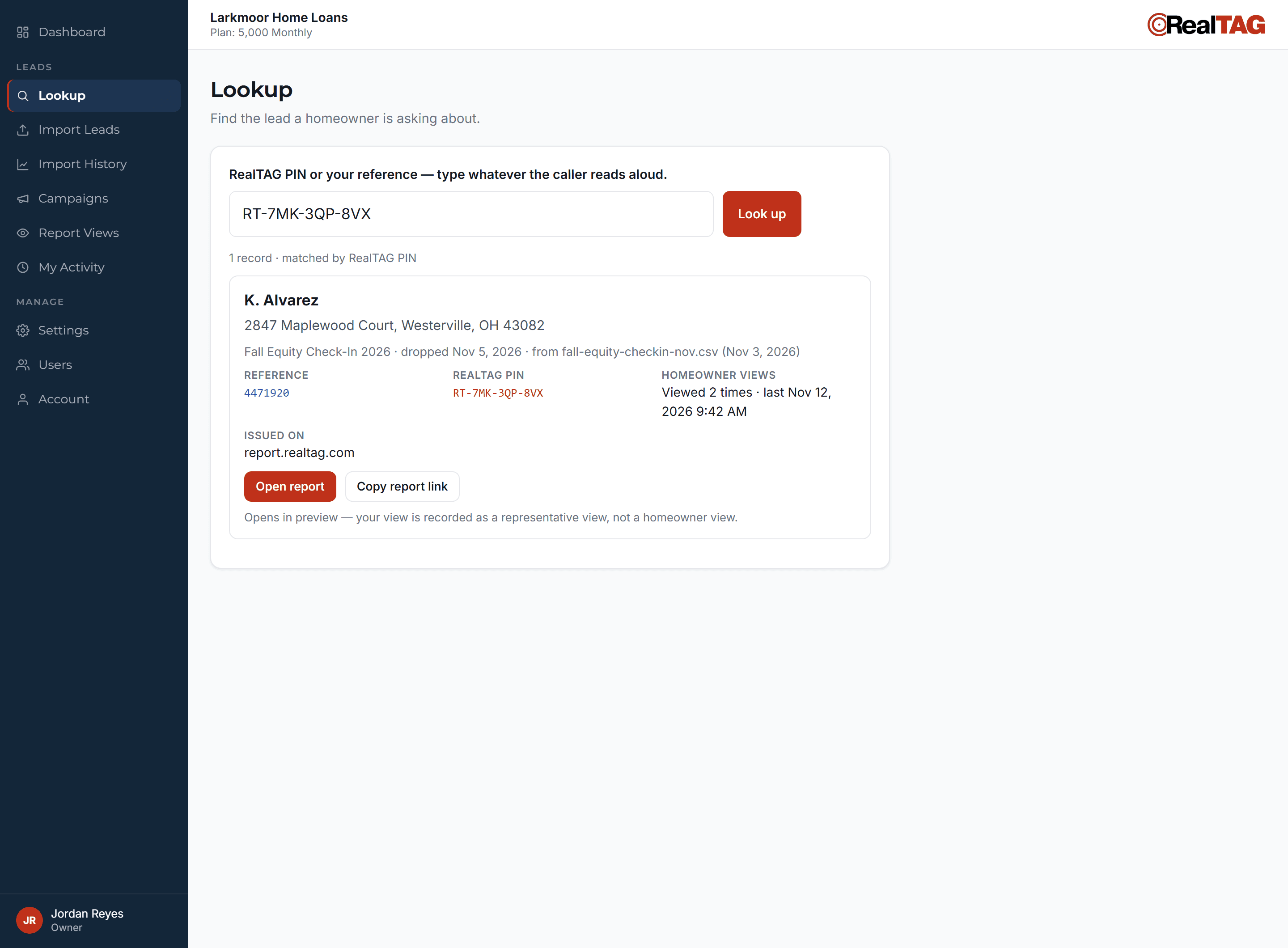
Your own record ID prints on the piece next to the RealTAG PIN. When the homeowner calls and reads either one, your LO types it into the caller lookup and has the lead, the report, and every view of it, without a twenty-question intake.
Your leads, only yours.
The engagement RealTAG captures belongs to you. iLeads never resells it. The people who raise their hand are yours alone to work.
Your name on every report.
Upload your logo and tagline once and they show on every report, even ones already mailed. Reports open on our report site, on yourname.realtag.com, or on your own domain, and a branded site sets itself up, usually within minutes.
Built on real property data.
Lien, title, transaction, and property records — the layer that underwrites real mortgages. Every loan, sale, and property detail on the report comes from public records. The home value comes from our automated valuation model, shown beside the most recent sales within about half a mile and a plain line on how this home compares.
U.S. properties, nationwide coverage.
Turn your outreach into leads
RealTAG is self-serve. Create an account, upload your file, and start putting personalized reports behind your outreach.
See who opened their report, and when.
RealTAG logs every report view and rolls the views up by campaign, so you can see who raised a hand and how each drop is doing.
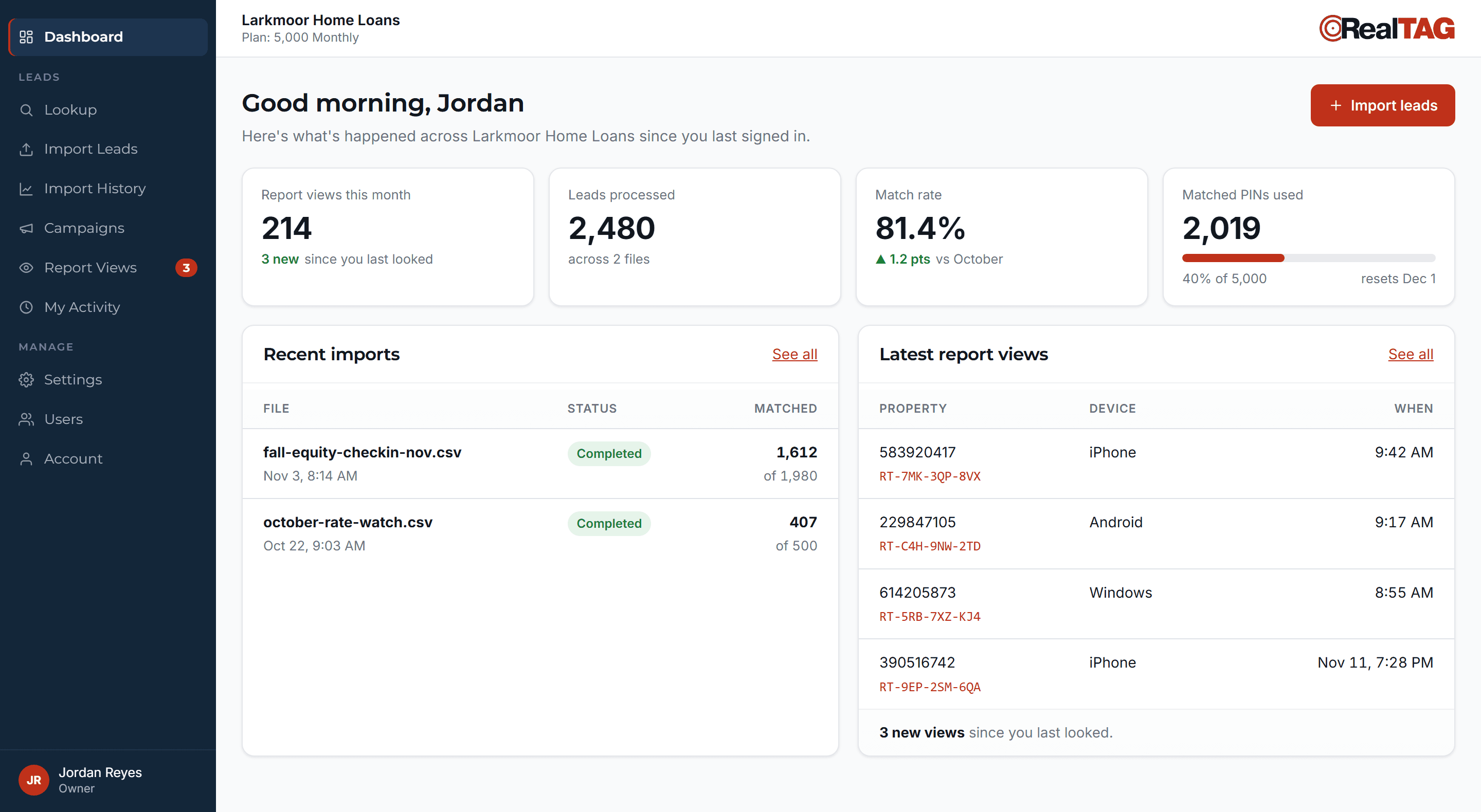
Shown with sample data.
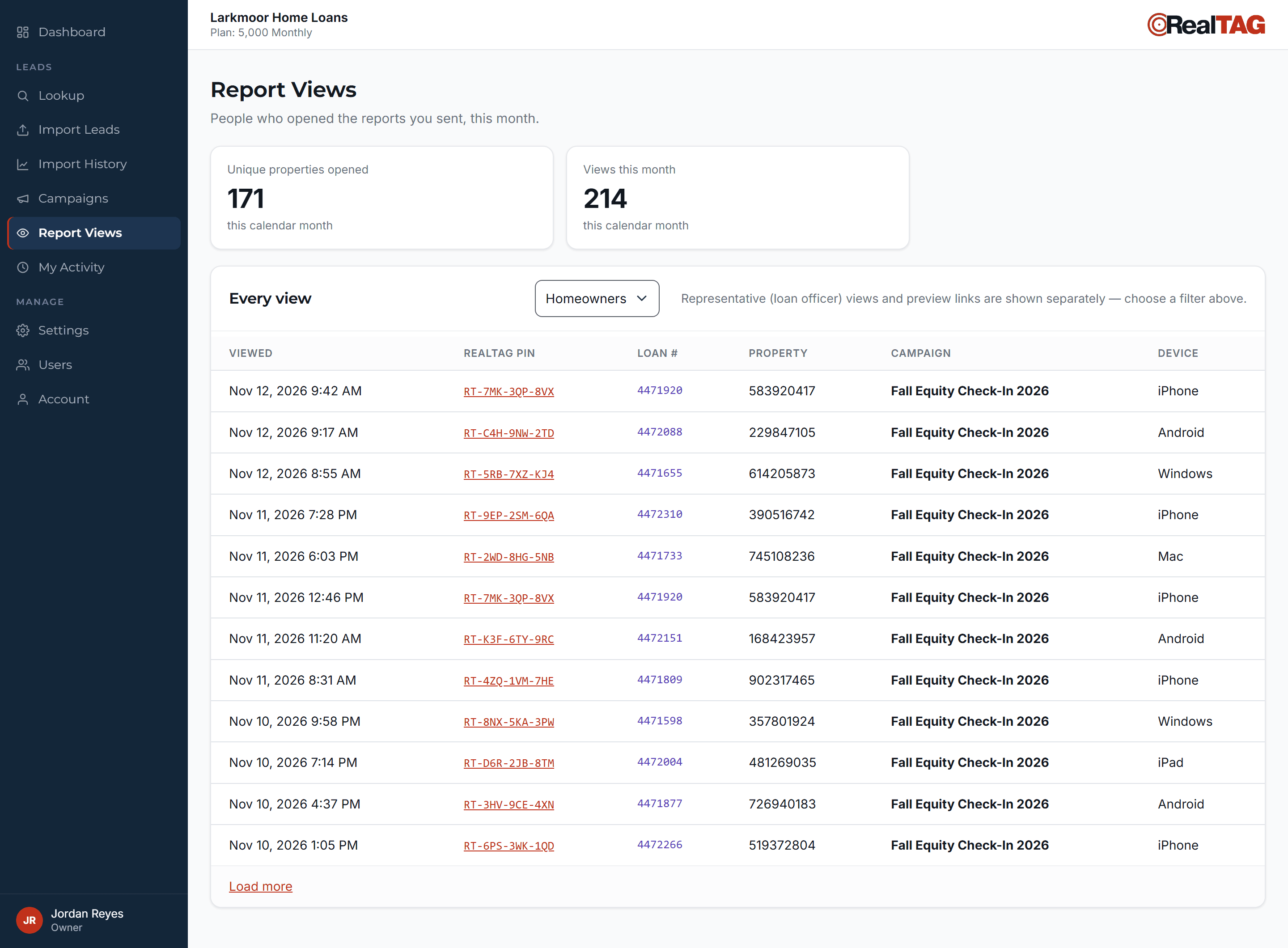
Know who’s looking.
Each view shows the time, PIN, property, location, and device. Sign in and you see how many are new since you last looked. Every PIN keeps its own history, so a homeowner who opens their report twice stands out.
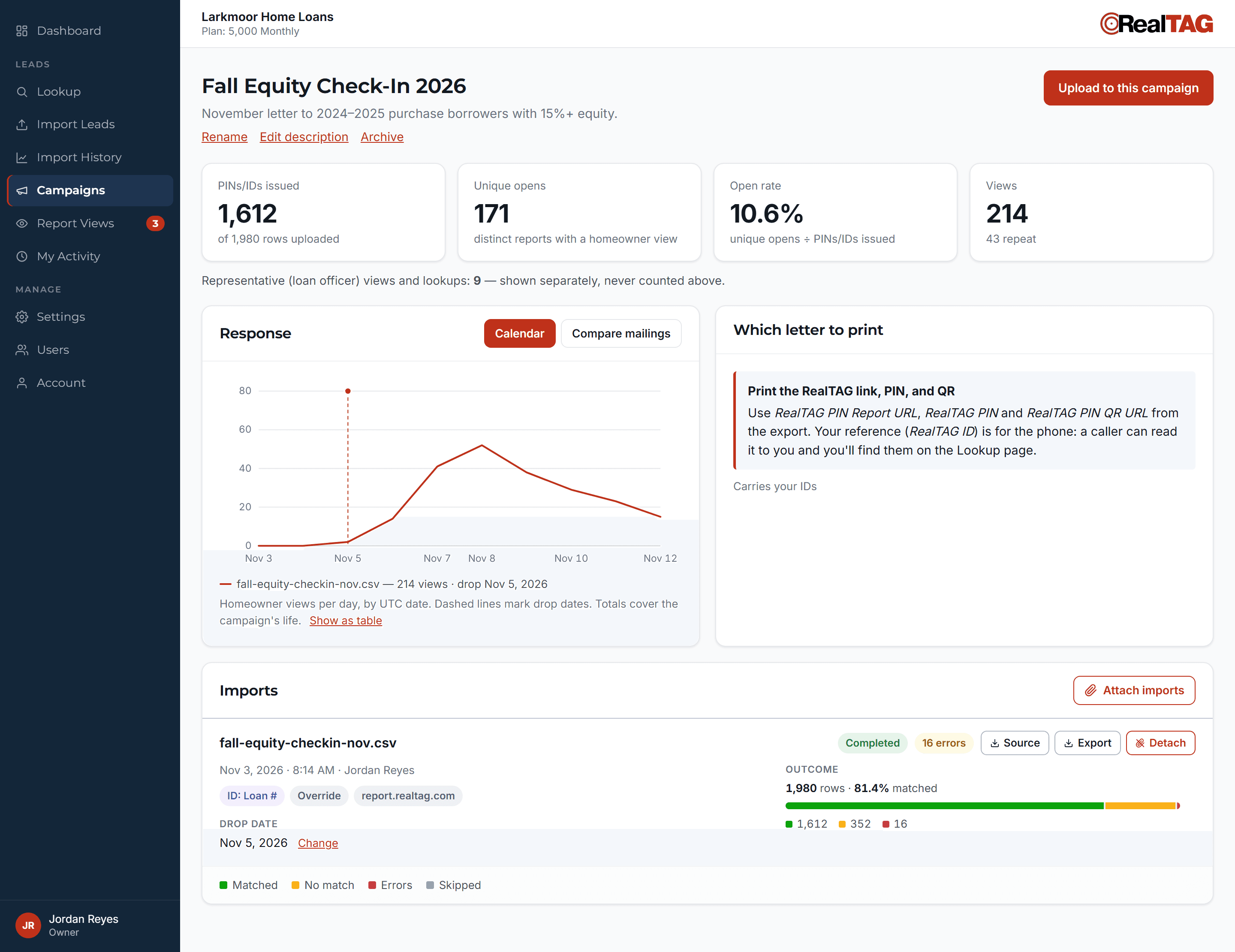
A dashboard for every campaign.
Uploaded and matched counts, unique opens, open rate, and total views, plus the response curve by day after each drop. Drill down to any file in the campaign.
New views in your inbox.
Pick how often you hear about new views: every 15 minutes, hourly, daily, weekly, or monthly. The digest goes to an email address you verify.
Shown with sample data.
Give RealTAG a try today
- From a 500-record file to a whole mail drop: same upload, same signal
- The engagement you capture belongs to you, and only you
- The lookup tells you who’s ready before anyone dials
Upload a CSV of names and addresses, and every record gets its own secure report link. The same link works on direct mail and email, and its PIN works over the phone.
The questions teams ask.
What do I need to put property-report links on my outreach?
A file. RealTAG is self-serve: create a free account, upload a CSV of names and addresses, and every record gets its own secure report link to put on your next piece.
How is a personalized property-report link different from a mailing list?
A list tells you who to contact. RealTAG tells you who responded, and hands you the property detail behind them. The lookup is intent a list can’t show you, so your follow-up goes to the people most worth a call.
Will homeowners actually click a property-report link in my outreach?
That’s the point of leading with the report. It shows recipients their own home’s value and equity, which is worth a minute of anyone’s time. The incentive and the signal are the same action.
Who owns the leads captured from a property-report link?
You do. RealTAG captures engagement for you and you alone; iLeads never resells it. Lead names are never stored on the public report site, public lookups are rate-limited, and any report can be revoked.
Is the property data in a homeowner report accurate?
It’s drawn from public records, the same property infrastructure behind Revive and GateKeeper. The consumer sees real detail about their own home, which is exactly why the lookup is worth their time.
Does a property-report link only work with direct mail?
The same link works on direct mail and email, and its PIN works over the phone. Every record also comes back with a print-ready QR code and a nine-character PIN with no look-alike characters. The link and its PIN work for 12 months after the file is processed. The report doesn’t care how it arrives, so most teams put it on everything they already send.
What happens if my upload file has bad rows or gets interrupted?
One bad row doesn’t stop the file. It’s flagged with the reason in a Notes column and the rest of the file processes. You can queue up to six files, watch a progress bar as they run, and an interrupted run picks up where it stopped. Every upload stays in your history, with the original and the finished file ready to download again.
Stop guessing which names are ready. Let them tell you.
Put a report link on the outreach you already send, and see who raises their hand.
RealTAG is self-serve. Create an account, upload your file, and start putting personalized reports behind your outreach.
Create your free account